-
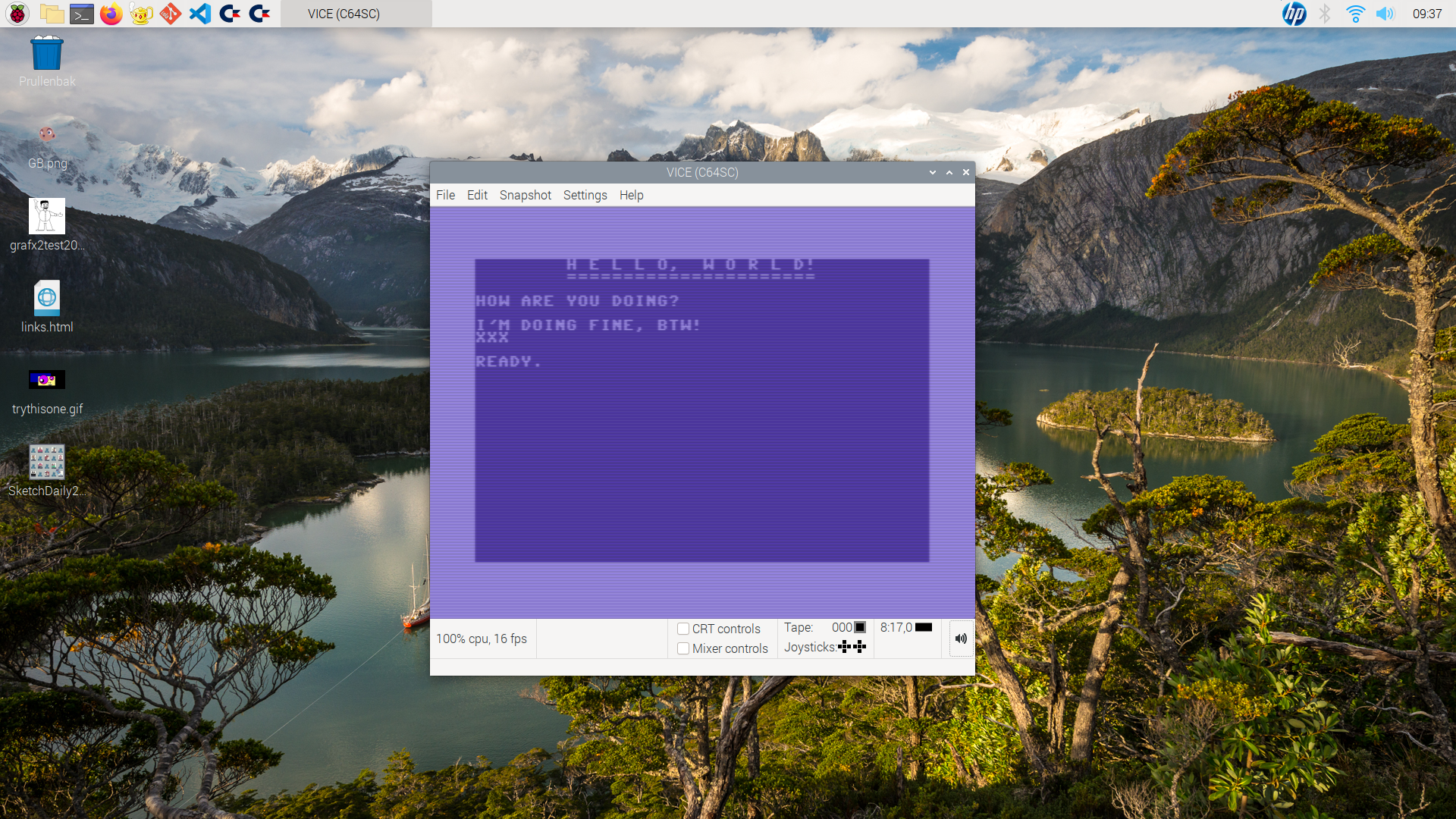
It’s day one of a year long self-challenge to code a video game for the Commodore 64. It won’t be all spent behind a keyboard and monitor. There’s a lot of study ahead, reading books and articles, playing retro-games, etc. Also making pixel art and chiptunes. It’ll be a blast 🥳 👨💻

-
My retro-computer∗ powered best wishes from the Netherlands!
May all your best wishes for 2024 come true.
👨💻

∗ (V.I.C.E. actually, and a little after effect with my iPad)
-
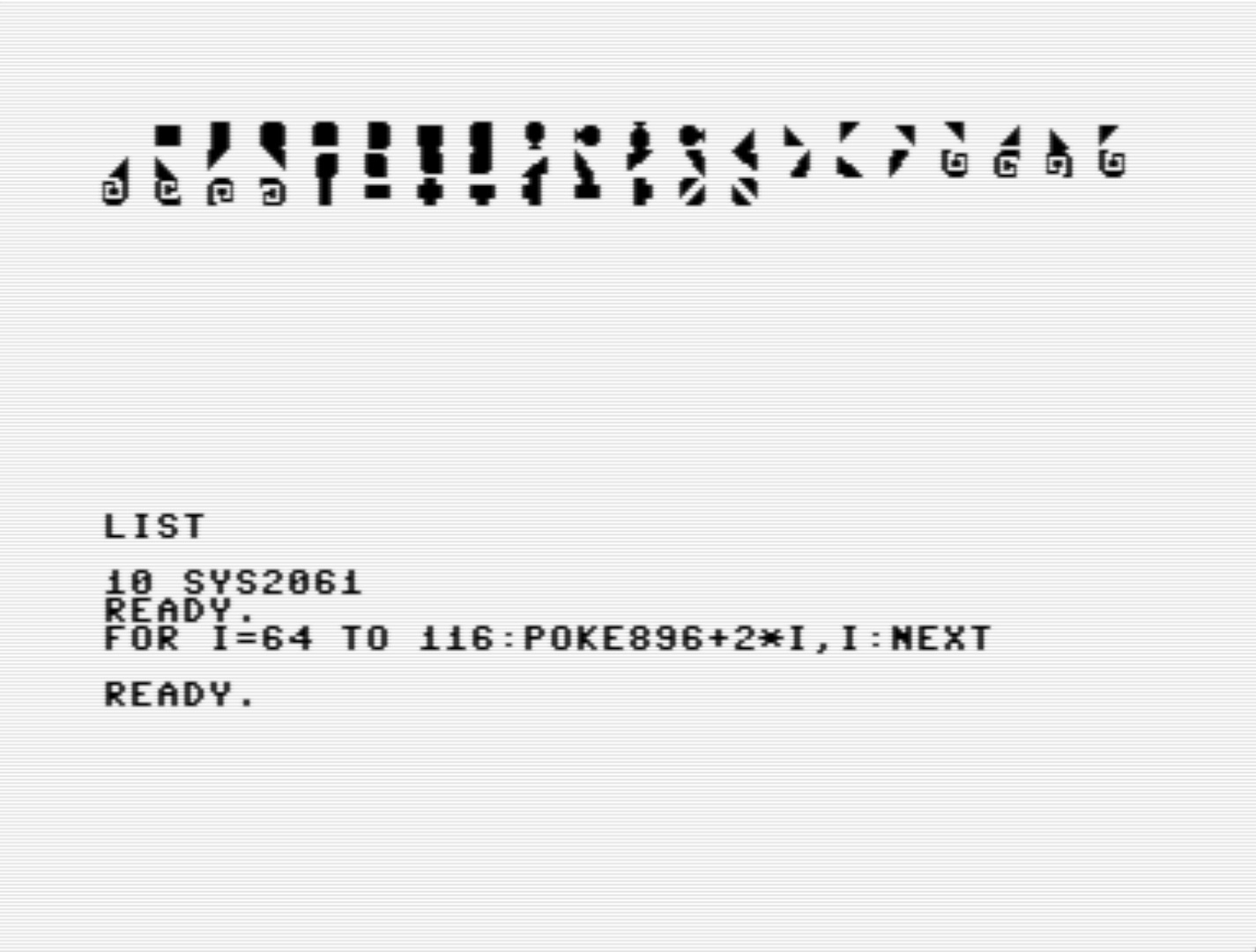
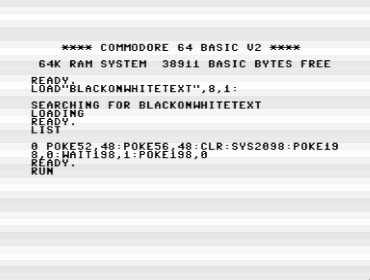
Took some effort, yet I have my character set of programmable characters to draw a design I’ve been working on lately. I wrote a Basic loader, which when run puts the character set in memory, so I can be used. Still lots to do, though. I’ll write a longer piece about it in the New Year. 👨💻
-
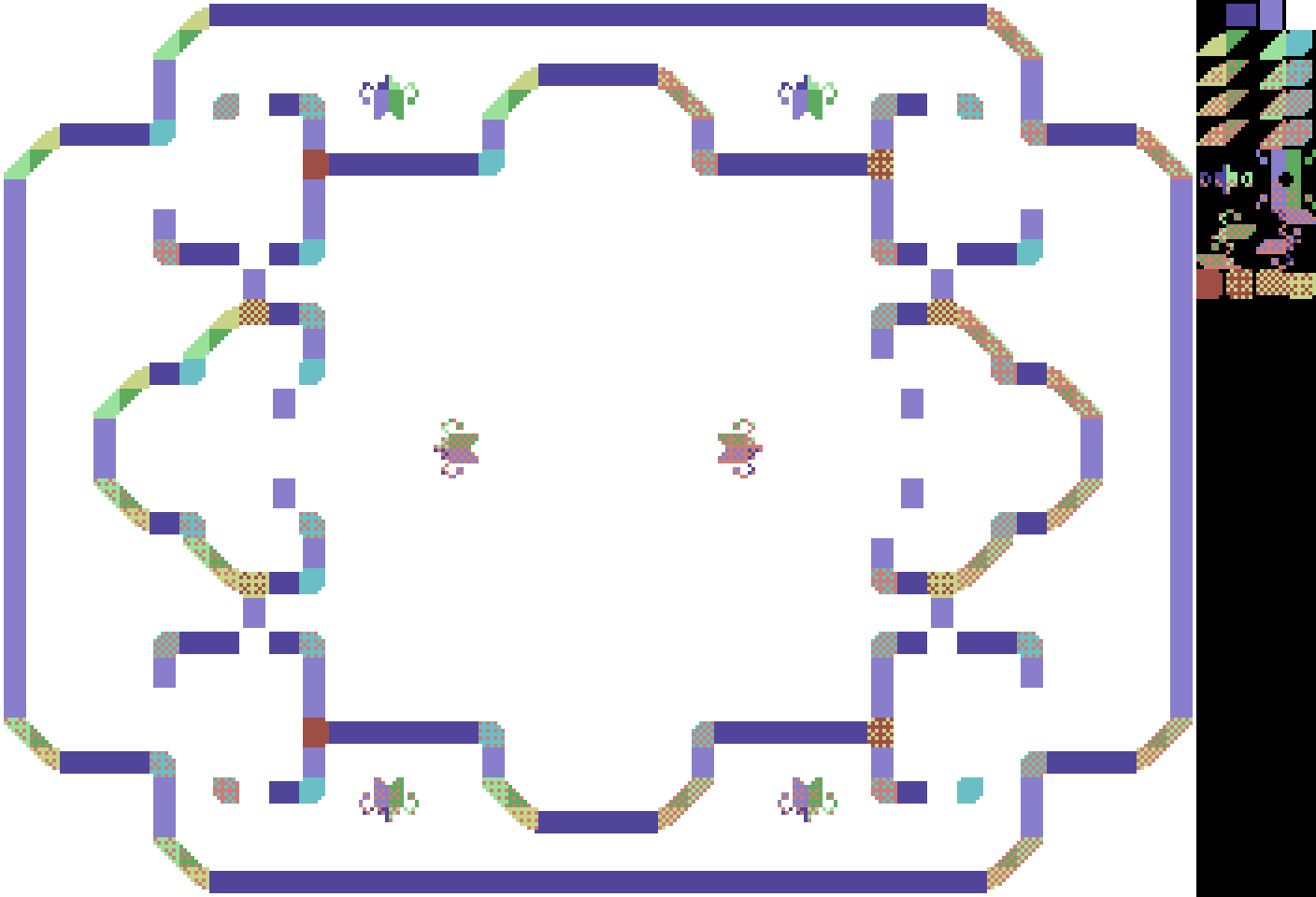
Second (partial) attempt at a a 2-color bitmap image on a C64 as a collection of characters (8-by-8 pixels tiles, still only 39). This is very laborious—if done by hand. I had to change the original rather drastically, and reuse tiles with care. There’s still a good resemblance, of course. 👨💻
-
As expected, Apple Journal didn’t click with me. It seems I’m not a journaler, and started to get annoyed by the similar suggestions. So, no DayOne subscription for me either.
-
I made start with software sprites using programmable characters on a Commodore 64. For now, there are just programmable characters; there’s no background, nor a software sprite that should move over the background in one of the 1000 possible positions on a 25 rows by 40 columns text screen.
-
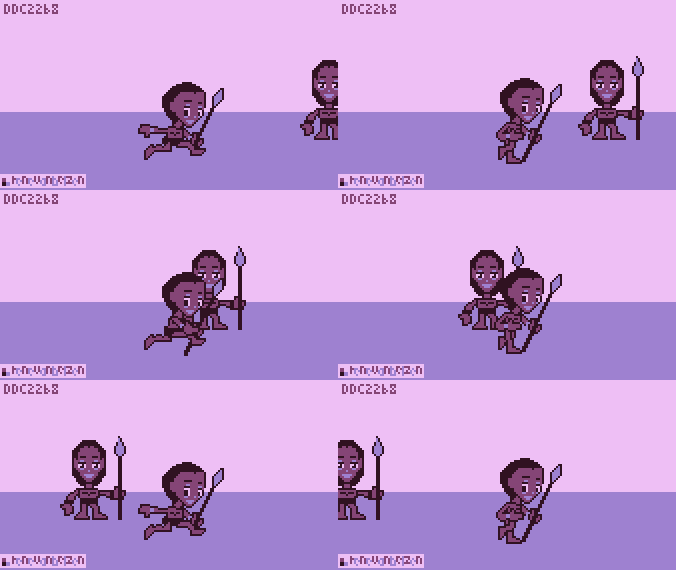
I drew something loosely based on a picture I took of my sister on Christmas day while we visited the royal palace Het Loo in the east of the Netherlands (I live in the west).

Here’s the process video in ibisPaint X (90 minutes drawing time).

-
How to draw software sprites
While in the previous article I was only philosophizing, in this one, I’m getting somewhat less theoretical. It’s still a ways away from having working code, though.
I found an answer on the Retrocomputing Stackexchange site, explaining how software sprites “work”. In my own words:
Sprites are rectangles of image data that are put in video memory, so the video processor can display them on a video screen. Sprites always need one of the colors to be transparent (invisible). In a two-color display that usually is black (0), while the visible color is non-black (1). The invisible color could be considered the background color, the visible color the foreground color. However, with a background drawn on screen, things can get confusing.
To enable mixing of sprite images with the background image, for every sprite image there should be a mask to punch a whole into the background. The mask contains 0s where the sprite image is visible; 1s where the sprite image is transparent. It makes sense to precompute mask data for efficiency.
Sprite data is drawn on top of image data. First, the background is masked out where the sprite will appear, resulting in a “hole” in the background. Second, this hole is filled with sprite data. Of course, if the sprite was moved, the original background image of that previous location should be restored too.
On older PCs (read: in certain display modes) colors are planar, which means that each color is stored in its own block of memory, instead of combined into a single memory block (one or more bytes of color information per pixel). Each color plane has to be processed first by punching a hole with the same mask and then filling the hole with sprite image data, specific for that color.
The (generic) algorithm for drawing sprites is as follows:
- erase the previous position, if any, by copying the original background at the previous location
- establish the address of the rectangle in video memory where the sprite should appear
- apply AND with the mask on this rectangle to “cut” data behind the mask; now there is a hole in the background where the mask is
- apply OR with the sprite image data to insert it into the background image; OR will only draw inside the cut mask
On the C64, things are quite different if bitmap graphics is to be ignored (too slow in most cases). In two-color (monochrome) character display, there are 1000 character positions (25 lines of 40 characters). The characters can be programmed by changing their image data (8 rows of 8 columns of pixels). In character generator memory, blocks of 8 bytes (8 by 8 pixels) are stored for each of the 256 characters that are in a character set. To display a character, its code is stored in screen memory, depending on the character’s location (column and row) on the video screen.
Let’s imagine a single 8 by 8 character (organized as 8 rows of 8 bits, 64 bits in total). Since the characters don’t represent text, but rather images, it’s probably better to refer to them with the more generic term “glyph”. A glyph can be a character, but also an image, e.g. a sprite.
To remove a sprite from the previous position, the previous glyph code that represented the background in that position is put back in screen memory. The background glyph code should be stored somewhere separately if it isn’t possible to determine that code from its position alone.
To put a sprite in its new position, some bit manipulation has to be done, combining the original image data of the background glyph with that of the sprite and store the result into image data for the glyph that displays a sprite-on-background.
The data structure that contains a sprite could look something like this:
- memory address in screen memory (2 bytes)
- background glyph code (1 byte)
- sprite-on-background glyph code (1 byte)
- sprite image data (8 bytes)
- sprite mask image data (8 bytes)
That is 20 bytes in total for displaying a single 8 by 8 square of pixels. That could be 8 bytes less if the sprite mask image data is computed on the fly.
From the steps above in the general case, the C64-specific steps would look like as follows:
- if the sprite was already being displayed, write the background glyph code into the memory address in screen memory
- calculate the current memory address in screen memory, based on the given sprite location
- store the glyph code in the memory address in screen memory in the background glyph code
- AND every of the 8 bytes of mask data with the corresponding bytes of background image data, as determined by the background glyph code and store the result in the 8 bytes of image data for the glyph that displays sprite-on-background
- OR every of the 8 bytes of sprite image data with the corresponding 8 bytes of the sprite-on-background image; store the result back into the sprite-on-background image
- write the sprite-on-background glyph into the current memory address in screen memory
That is a lot of overhead and storage space for sprite the size of a single character of text. If the sprite needs to be able to be moved left and right, up and down, with the resolution of a single pixel, things can get even more complicated and require even more resources (instruction cycles and storage space). It’s doubtful if this kind of accurate positioning is sensible, if one could use hardware sprites for pixel-wise movement instead.
I’m curious how this could be coded, and then recoded for efficiency (storage-wise and/or instruction-cycle-wise). I’m sure it depends on what is needed for the game.
To make it more interesting for video games, one would like to introduce colors, like in multi-color character mode, and bigger sprites. I might not get to this, because monochrome character mode seems daunting enough for me.
-
Visited Palace Het Loo yesterday. Just in case, I reminded myself of the Sphinx riddle here. I didn’t take much pictures of this former royal residence, now museum, because I was after good impressions, not documentation. I was sightseeing, after all. Made me a little more pro house of Orange. 🇳🇱

-
My iPad is having issues. I already have powered down and up again twice this week because of lack of responsiveness. I suppose it could be that the CPU is being slowed down to compensate for an elderly battery, or whatever goes on in the proprietary iPadOS from Apple 🤷♂️ Who knows, who knows…
-
Philosophizing about software sprites
While reading through some articles about hardware sprites, sometimes called movable object blocks (MOBs), I realized that the C64 is probably too slow to move software driven sprites. In 1/60 s at ± 1.02 Mhz there are 17000 instruction cycles for an interrupt, or (
17000 / 4 =) 4250 average instructions per interrupt cycle.A typical copy operation is with zero page indexed addressing in a loop requires 14 instruction cycles per copied byte. Add to this a bit shift in a buffer (add another 4 cycles), and an area of 32 by 23 pixels to hold a 24 by 21 pixel MOB, then a back of the envelope calculation gives us (
4 x 23 x 18 =) 1656 instruction cycles per pixel shifting MOB, at 60 fps. With nothing else to do, that would give us (17000 / 1656 =) 10 MOBs at most.If the Kernal is supposed to do something, like being able to run Basic, then it’s probably feasible to maintain 3 MOBs at most.
Another calculation. What if one wanted to fill a whole screen, all 1000 bytes at 14 instruction cycles per byte? With the interrupt disabled, that would make a refresh cycle possible of at most 1/7th of a second, which is clearly noticeable. It makes sense in that case to use a frame buffer, and switch buffers after a buffer has been updated. This would enable slowly animating backgrounds, in other words, choppy animation, which could be interesting in some cases. There wouldn’t be any redrawing of the screen, breaking suspension of disbelief in most players.
Of course, it’s possible to rewrite only a part of the buffer, so the frame rate can be increased. Using the estimated 3 MOBs per 1/60 s. That is (
(4 MOBs of 23 rows of 4 bytes) / (40 bytes per line) =) 9 lines per 1/60 s, or around (9 / 25 ≈) ⅓ of the screen which can be believably animated using a frame buffer. This needn’t be a contiguous areas. Disparate parts of the screen could be animated, at some instruction cycle cost to update zero page pointers to new values.I should emphasize, this is all theoretical (philosophical?) and for 2-color MOBs. With multi-colored MOBs more bytes need to be updated, reducing the frame rate by at least 50 percent. The “claims” above have to be proven by code first.

It was fun dreaming about such an endeavor, and see what the possible limits would be. For snappy code, one should really disable the Kernal interrupt routine, and use one’s own instead. I suppose this is why most video games require a reset to return to Basic. If Basic has to coexist, it will limit what kind of games can be played. Fast moving action-based games are probably not among those. In that case, you’re probably already committed to using hardware sprites.
-
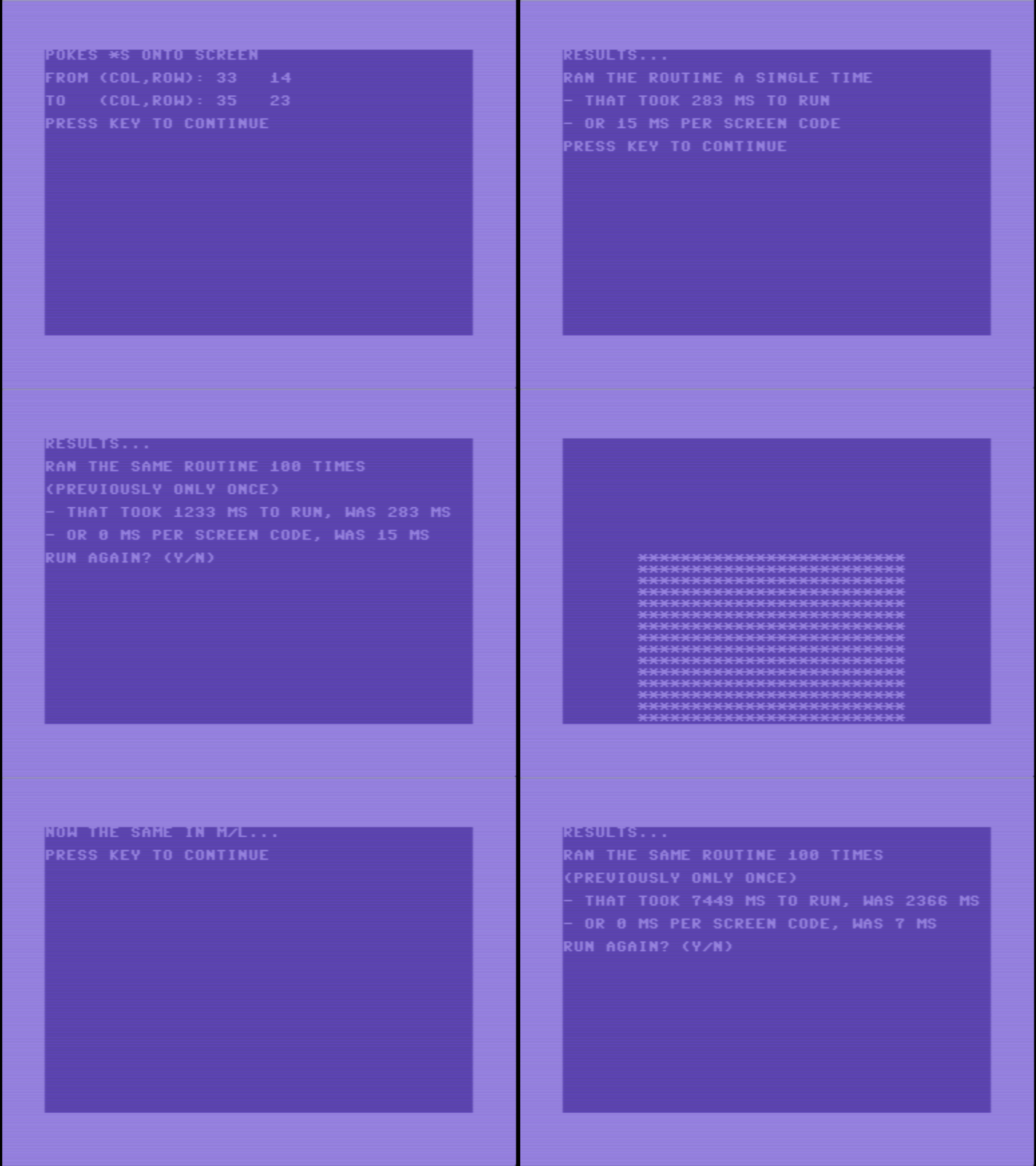
I have a very unoptimized way to fill a rectangle on a C64 video screen with characters, as in a MOB (movable object) instead of a hardware sprite. It’s around 25 times faster than using Basic, and has “frame rate” of around 12 fps on a 50 Hz monitor. I’m sure it can be much faster. 👨💻
-
POKEing to the Commodore 64 screen
I was looking through the Commodore 64 Programmer’s Reference Guide, in the chapter about graphics, how I could POKE screen codes to the screen, so to speak, in 6502 assembly. Here is what I came up with.
First of all, what do I mean with “POKE” and “screen codes”?
POKE is a CBM Basic 2.0 command, also available on many Microsoft Basic variants on 1980’s and 1990’s home computers. It allowed the programmer to place a value anywhere in the 64 Kb of memory addressing space available to the Central Processing Unit (CPU, which is the 6510, a variant of the 6502). Since the screen in the default configuration is located at memory addresses 1024 to 2023, one could put a value A into column C and row R as follows:
POKE 1024 + 40*R + C, Awhere:
0 <= R <= 240 <= C <= 390 <= A <= 255
This is all well and good, but it seems rather slow, even if we invoked these commands in 6502 machine code. I’ll come to that later.
Screen codes are Commodore specific values, which are used internally to represent characters. There is a direct correlation between a screen code an its position in the character ROM. The codes are different than the codes used for printing (which codes are collectively called PETSCII, Commodore’s own version of ASCII). For instance the letter ‘A’ is the value 1 in screen code and 65 in PETSCII.
Why do I even want to POKE screen codes to the screen, if the same can be done using PETSCII and printing? Well, I want to put blocks of screen codes onto screen, using a self-defined character set, to use for a video game. In that case the Basic commands and even the routines in the underlying operating system (Kernal) are just too slow. I need custom routines to put screencodes onto screen.
So I started to explore what is needed.
It seems the video chip, the VIC II, can only “see” a quarter of the 64 Kb of addressing space, i.e. 16 Kb, in four banks:
- bank 0, $0000 - $3FFF (default)
- bank 1, $4000 - $7FFF
- bank 2, $8000 - $BFFF
- bank 3, $C000 - $FFFF
This is controlled through bits 0 and 1 of data register A (DRA) of the Complex Interface Adapter (CIA) chip. There are four possible values:
- %11 VIC II bank 0 (default)
- %10 VIC II bank 1
- %01 VIC II bank 2
- %00 VIC II bank 3
So bits 0 and 1 have to be inverted to get the binary value of the VIC II bank. Furthermore, in order to read data register A, their bits have to be set to zero selectively in the data direction register (DDRA) for data register A. All the other bits of DDRA have to left alone.
Within the 16 Kb available at one time to the VIC II, there are 16 possible relative locations of screen memory (25 lines of 40 characters, or 1000 bytes):
- $0000 - $03E7
- $0400 - $07E7 (default)
- $0800 - $0BE7
- $0C00 - $0FE7
- $1000 - $13E7
- $1400 - $17E7
- $1800 - $1BE7
- $1C00 - $1FE7
- $2000 - $23E7
- $2400 - $27E7
- $2800 - $2BE7
- $2C00 - $2FE7
- $3000 - $33E7
- $3400 - $37E7
- $3800 - $3BE7
- $3C00 - $3FE7
The relative base address of screen memory is controlled by the lower 4 bits of register 24 of the VIC II. Again, only these bits should be manipulated, while the upper 4 bits should not be changed for selecting the screen location. Of course, I am only reading the bits, so I’m safe in that regard.
The Kernal has (half) a pointer to the full address of the beginning of screen memory, the high-byte. This pointer is stored in location 648 ($288). I can either use that, or calculate it myself.
- $288 (648): high-byte of pointer to the base of screen memory
Of course, if I would relocate the screen, I would have to change this pointer in my code, so there’s value in knowing how to calculate this high-byte, even if it isn’t needed if I don’t change the screen location in memory. I could just as well use the value in $288.
I calculated the high-byte of this pointer as follows:
; some addresses defined

vicmemptr       eqm $d018       ; VIC II memory pointer register
cia2rega        eqm $dd00       ; CIA 2 register A
cia2ddra        eqm $dd02       ; CIA 2 data direction register A

; determine location of screen memory
; returns .A hi byte of base address of screen memory
; modifies .A, flags

screenbas:

                ; determine the VIC II base address

                lda cia2ddra    ; set
                and #%11111100  ; bits 0, 1
                sta cia2ddra    ; of reg A to "read"
                lda cia2rega    ; read reg A
                and #%00000011  ; only bits 0, 1
                eor #%00000011  ; invert bits 0, 1
                lsr             ; optimization -> shift into bits 6, 7
                ror             ; in effect, multiply by 2^6
                sta screenb1+1  ; self-mod code

                ; determine location of screen memory inside the 16 Kb VIC II bank

                lda vicmemptr   ; get
                and #%11110000  ; upper 4 bits
                lsr
                ror             ; make it hi byte * 2^2

                ; add base address of VIC II to relative base address of screen memory

                clc
screenb1:       adc #$ff        ; self-modded
                rts
I hope you didn’t mind my code self-modification trick, but it does work in RAM. In ROM one would do it differently, naturally.
Now I know where the screen is located in memory, how can I put a screen code into a particular column and row? There are 40 columns and 25 rows, numbered from 0 to 39, and to 25, respectively. This means the memory location, based on column and row value can be calculated as follows:
- screen base + column * 40 + row
I’ll use indirect indexing to point to this address, where the .Y register serves as the index:
sta (putadr),y ; store it in the yth columnwhere
putadrholds the address of the first row of the column on screen. The .Y register then accesses the Y-th column in the instruction above. It makes sense to store the column value in the .Y register (the same as the Kernal does).Adding address values is pretty straight forward, but how to calculate times forty?
Remember that the 6502 has a shift left instruction, which is equivalent to multiplying by two. So, with some shifting and adding it is possible to get to times forty quicker than doing it traditionally (multiply two 8-bit values into a 16-bit value):
value * 40 = ( value + (value * 2^2) ) * 2^3
That is 5 left shifts and 2 additions. However, while five times a column value still fits into a single byte, multiplying it by 8 doesn’t fit in that single byte anymore. At that point two bytes are needed.
Here is the code:
; put screen code onto screen
; parameters:
;     .A screen code
;     .Y screen column, between 0 and 39
;     .X screen row, between 0 and 24
; returns:
;     carry flag set means an error occurred
; all registers are affected
; bits 0, 1 of DDRA of CIA 2 ($DD02) are set to zero (read)
; zero page $02, $03 are used

putadr:          eqm $02        ; 2-byte screen address

putonscn:        cpy #40        ; column >= 40 ?
                 bcs putexit    ; yes, then exit w/ error
                 cpx #25        ; row >= 25 ?
                 bcs putexit    ; yes, then exit w/ error
                 pha            ; save for later
                 stx putadr     ; initialyze screen address
                 txa            ; transfer row to .A
                 asl
                 asl            ; row * 2^2
                 adc putadr     ; row * 2^2 + row
                 sta putadr
                 ldx # 0        ; zero hi byte
                 stx putadr+1   ; of screen address
                 asl
                 rol putadr+1
                 asl
                 rol putadr+1
                 asl
                 rol putadr+1
                 sta putadr     ; (row * 5) * 2^3
                 jsr screenbas  ; add hi byte of screen base address
                 adc putadr+1
                 sta putadr+1   ; baseadr + (row * 40)
                 pla            ; get screen code back
                 sta (putadr),y ; store it in the yth column
                 clc            ; no errors
putexit          rts
To check if this code actually works I added a combination of assembly and Basic language, so it could run from the Basic prompt on the Commodore 64 with the RUN command.
It working made me a happy coder.
-
On the C64, using the Kernal, you can set the cursor position (one routine) and then print a character (another routine). I wanted a single routine to put a screen code onto the screen, at a particular colomn and row, wherever the screen was located in memory. So I wrote it, and it works, yay! 👨💻
-
I installed droid64, a Java application to manipulate Commodore disk images and copy files between your host OS and a disk image (e.g. a file with a D64 extension). I needed it to be able to play new games. I also put a SPEEDLINK SL-650212-BKRD Competition PRO USB joystick on my Amazon wish list 🎮
-
Challenge the challenger (or: a little help wanted here)
It is said, by some, that there’s nothing magical about January 1. So resolutions seem rather nonsensical, at least, putting a start date on something. Just start, which is what I just did, by writing and publishing this blog post. And, I warn you in advance, I will ramble and meander through my “ideascape” (if that’s even a word—it now is).
As announced in my previous post, and I’m still calling it that, my self-challenge is called 366 Days of Coding. The year 2024 will become the year that I finally produced a video game. I’ve tried many times before, but was held back by lack of confidence, mostly. I’ve worked on that in 2023, and my improved mental hygiene should give me the protection against self-doubt I need.
Now how is this going to work, what will be my general overarching workflow? Well, I don’t know… I’ve never been much of a planner. I always let deadlines pass by, and brushed it off as proof that I’m worthless, because, well, see! That’s no way to live. First of all, seeing how long indie games are in beta, testing and debugging seems a rather important part of software development. Also, it’s good to have a second opinion to rely on, which means beta-testers. However, on my first try I’ll have to do most of that myself, since I lack any reputation to call for outside help, and actually receive help.
I can imagine it’s like writing one’s first novel. It takes such a long time, because a lot has to be learned, especially accepting outside help from a closed reader group, who give positive feedback on one’s writing. In that first attempt, as a new writer, I guess most figure that out for themselves, perhaps by using a partner or close friends as “guinea pigs”, or whatever is available to them. Purposefully looking for a group of dedicated beta-readers, often means one has been oneself first. I suppose being an avid reader is a prerequisite for becoming a writer, why else would one even want to write a book? In fact, helping a writer out with positive critique may give the critic ideas on how to become a writer themselve. From that perspepctive, gathering a group of beta-readers seems to me like paying something forward, from the writer’s point of view.
However, there are many more readers of books than there are players of retro-games. It’s a self-selecting group of mostly older people with nostalgia, and younger people who can identify with the old times, as an esthetic. They will be opinionated, perhaps even rude, since they are far off the beaten path, into a barren land (space-time, actually) that once was great and thriving, and only is accessible through personal memory and documentation (books, magazines, videos, etc.). On the other hand, retro-gaming is having a revival, as all things eighties of the previous century. Things in the current news are rather grim, and there is certainly a hunkering for the good old days, even in those who never lived through those.
So, however I will go about things, testers are an essential part of software development. After all, a video game, like a book, is to be experienced by others than the author/creator. It makes sense to accept input by those others, not what or how to make something, but how they experienced what you made. Still, there are always those who think they know better than you, and offer how-to tips. They might know better, but you are the person making, on your terms, schedule and responsibility. Whatever you make, it is always a compromise between what you aim at (aim as high as you can), how much time you have (besides daily chores, work, etc.), and what you can put up with and still enjoy it (mostly).
If you have no idea of the final product, don’t have the time, and don’t like the process, this is not for you.
I have some ideas what to make, so many, that I need to pick one. My first task, then, is to explore the world of indie gaming on retro computers, briefly (!), and see what I like and don’t like. There are no original ideas—well so few that they don’t stand out—but there are original spins on existing ideas. With a shortlist of ideas I can think about what my take would be. This will lead to an opinionated product, some will like, others won’t. That is a good thing, since you don’t want a bland product no one hates, but also no one prefers. You can’t please everyone. Heck, it’s hard to please anyone nowadays, with the world being as polarized as it currently is.
After having a list of possible ideas, it’s time to prototype, and see what appeals to me. This is often done on paper or in a design document, rough, yet playable, if you do the mechanics of the game yourself. In the final game this is all automated, but in this rough stage, you are the driver, leaving room to change mechanics on the fly.
Now comes the hard part, picking and committing. You can always go back and pick something else once you hit a dead end, but that shouldn’t be par for the course.
What comes after that is still blurry to me, because I’ve never done something like this before. I’m sure to keep you posted once I discover the intricacies of game development, at least, how I perceive those. This is an experiment of one. You shouldn’t copy someone else’s workflow, but, instead, learn from it, to improve yours. This doubly applies to a newbie like myself, looking at how other, more seasoned developers go about things.
It will be educational. Of that I’m sure.
Thanks for sticking with it until the end of this thought piece. I’m sure I got most things (slightly) wrong. Please feel free to comment and enlighten me with your bright ideas, maybe suggest (parts of) how to do what I’m planning to do. I’m sure I will learn something from it, and, reciprocally, by formulating your ideas in clear words, you might as well.
-
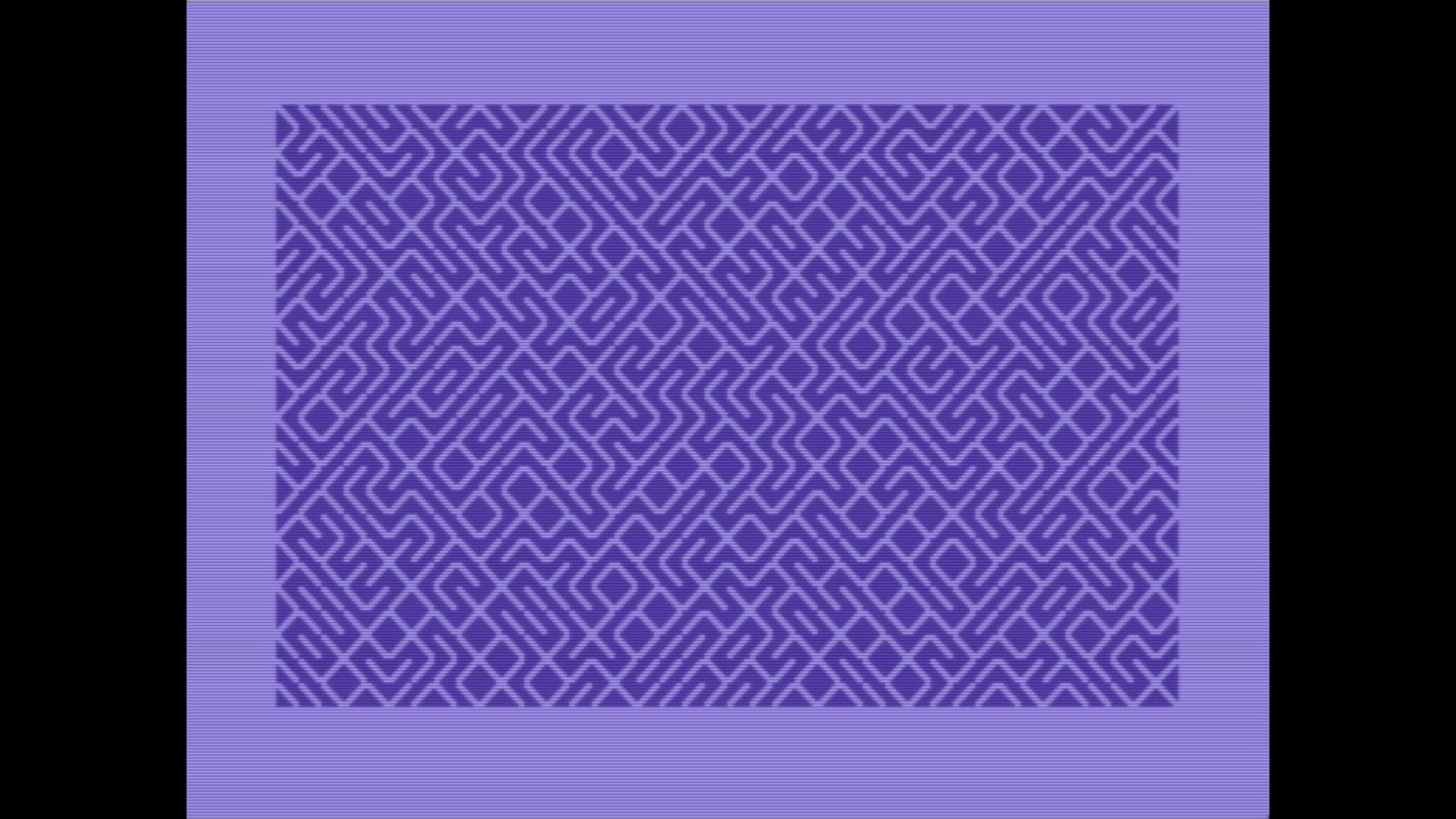
I redid the random maze program in assembly language. If you load and RUN the program, it displays the maze, waits for the user to press a key, then clears the screen and returns to the BASIC prompt. It’s simple, but it made me proud nonetheless that it actually works.
-
I have found a better way to assemble 6502 code than Virtual 6502 Assembler. I installed DASM from the official Pi OS repository on my Raspberry Pi-400, rewrote the KickAss source code, and assembled that into a BASIC loader program. Took long, because of differing assembler directives, and a nasty typo 🤬